
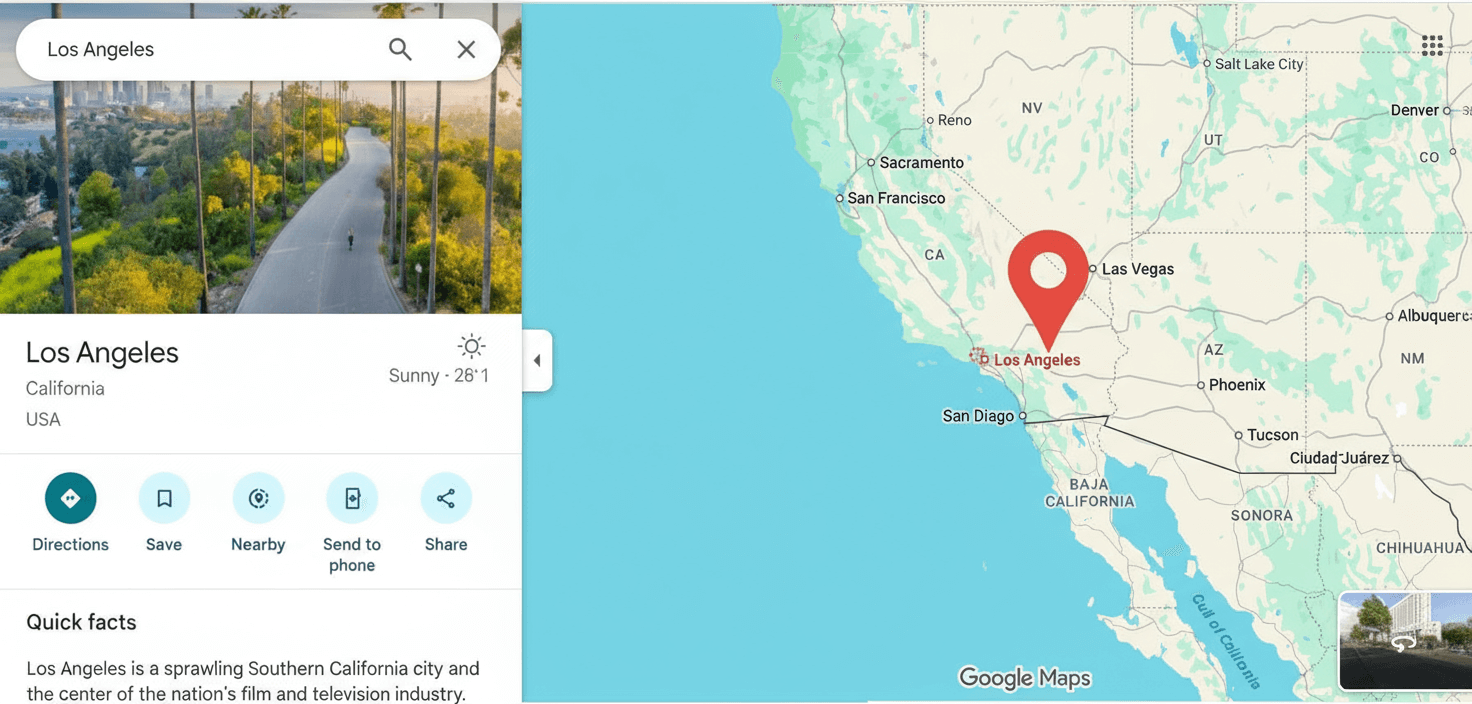
In this age of digital navigation, the art of dropping a pin has completely changed the way we explore. Whether you’re a casual wanderer or a seasoned traveler, dropped pins make every adventure smoother and more exciting. Picture this: effortlessly marking your favorite coffee shop, secretly sharing hidden gems with friends, or uncovering new corners of your city as if you were a local.
This guide will take you into the world of dropped pins, showing you how to navigate with accuracy, save and share your discoveries, and explore your surroundings with confidence. From planning long road trips to finding your way back to a parked car, this simple tool can make a world of difference. Mastering pins means you’ll always be one step ahead ready to travel smarter, explore deeper, and uncover hidden treasures wherever you go.
Table of Contents
What is Dropped Pin and How They Work
Dropped pins are one of the most useful features in today’s navigation apps, making it easy to mark and save any spot on a digital map. When you drop a pin, you’re basically placing a marker on a specific location—whether it’s your favorite restaurant, a friend’s house, or even a hidden trail in the woods. That pin then holds key details such as the exact coordinates, address, and sometimes extras like photos or reviews. A quick tap gives you everything you need to know and even directions to get there.
The process itself is simple. When you drop a pin, the app records the exact geographic coordinates of that point and anchors the marker to it. From there, most apps let you personalize the pin by adding a name, notes, or even uploading images. This flexibility makes dropped pins more than just map markers they become custom reminders or shareable locations for others.
Knowing how dropped pins work is extremely handy. Whether you’re plotting out a travel itinerary, setting up a meeting spot, or saving the location of your parked car, dropping a pin ensures you can always find your way back. Once you get comfortable with the feature, you’ll find it boosts not only your navigation but your overall experience of exploring new places.
The Importance of Dropped Pins in Modern Navigation
In today’s fast-paced world, where people are constantly on the move, the importance of dropped pins cannot be overstated. They serve as digital breadcrumbs, guiding us through unfamiliar territories and helping us remember important locations. For travelers, dropped pins are indispensable for marking landmarks, restaurants, and other points of interest that they may want to revisit. The ability to quickly and accurately locate these spots can save time and reduce stress, making travel more enjoyable and efficient.
Dropped pins also play a critical role in everyday navigation. Whether you’re exploring a new city, attending a social event, or running errands, being able to drop a pin and share it with friends or family can make coordination much easier. For instance, if you’re meeting someone at a crowded venue, sharing a dropped pin can ensure that everyone knows exactly where to go. This eliminates the need for lengthy descriptions or confusing directions, streamlining the entire process.
Moreover, dropped pins are invaluable for emergency situations. If you find yourself in an unfamiliar or potentially dangerous area, dropping a pin and sharing your location with trusted contacts can provide an extra layer of safety. This functionality is especially useful for outdoor enthusiasts who might be hiking in remote areas or for parents keeping track of their children’s whereabouts. In essence, dropped pins offer a simple yet powerful way to stay connected and safe while navigating the world.
How to Drop a Pin on Popular Mapping Apps
Dropping a pin is a straightforward process, but the steps can vary slightly depending on the mapping app you’re using. Let’s explore how to drop a pin on some of the most popular mapping applications.
How to drop pin google Maps Step by Step:
To drop a pin on Google Maps, open the app and navigate to the location you want to mark. Press and hold on the map at the desired spot until a red pin appears. Once the pin is dropped, you can tap it to view more details about the location, such as the address and coordinates. You can also add a label or save the pin to your lists for easy access later. Google Maps allows you to share the pin by selecting the share icon and choosing your preferred method, such as email or messaging apps.
How to drop pin iPhone and Apple Maps Step by Step:

To drop pin iPhone and Apple Maps users, the process is quite similar. Open the app and find the location you want to mark. Press and hold on the map until a pin drops. You can tap the pin to view more information, including the address and directions. Apple Maps also allows you to add the pin to your favorites or share it with others via the share button. The dropped pin will be saved in your recents, making it easy to access later.
Waze:
In Waze, dropping a pin is known as adding a place. Open the app and navigate to the location you want to mark. Tap and hold on the map until the location details pop up. Select “Add a place” from the menu, and follow the prompts to name the place and add any additional information. You can then share the location with friends through the share icon. Waze also allows you to save the place to your favorites for quick access later.
By familiarizing yourself with the pin-dropping process on these popular apps, you can ensure that you always know how to mark and share important locations easily.
Sharing Dropped Pins: Methods and Best Practices
Once you’ve mastered the art of dropping pins, the next step is learning how to share them effectively. Sharing dropped pins can be incredibly useful for coordinating meet-ups, providing directions, or simply recommending places to others. Here are some methods and best practices for sharing dropped pins.
Messaging Apps:
The most common way to share a dropped pin is through messaging apps like WhatsApp, iMessage, or Facebook Messenger. After dropping a pin, select the share option and choose the messaging app you prefer. This will generate a link that you can send to your contacts. When they click the link, it will open the mapping app and display the pinned location. This method is quick and ensures that the recipient has all the necessary information to find the spot.
Social Media:
Sharing dropped pins on social media platforms like Facebook, Twitter, or Instagram can be a great way to recommend places to a broader audience. After dropping the pin, select the share option and choose the social media platform. You can add a caption or additional details to provide context. This is particularly useful for travel bloggers or influencers who want to share their favorite discoveries with their followers.
Email:
For more formal or detailed communication, sharing dropped pins via email can be very effective. After dropping the pin, select the share option and choose email. This allows you to include a personalized message with more context or instructions. This method is ideal for professional settings or when you need to share detailed information about the location.
Best Practices:
- Always double-check the location before sharing to ensure accuracy.
- Add context or notes to the pin if necessary, especially if the location is in a large or complex area.
- Use clear and concise language when sharing the pin to avoid confusion.
- Consider the recipient’s preferred app or platform for sharing to ensure they can access the pin easily.
By following these methods and best practices, you can share dropped pins confidently and efficiently, making it easier for others to find and enjoy the locations you recommend.
Exploring New Places: Using Dropped Pins for Discovery
Dropped pins are not just for marking and sharing locations; they can also be powerful tools for discovering new places. Whether you’re in a new city or exploring your own neighborhood, dropped pins can help you uncover hidden gems and navigate with ease.
Local Exploration:

Using dropped pins to explore your local area can lead to exciting discoveries. Start by dropping pins at places you’ve heard about but haven’t visited yet, such as new restaurants, parks, or shops. As you visit each location, you can add notes or photos to the pin for future reference. This method turns your map into a personalized guidebook, filled with places to explore.
Travel Planning:
When planning a trip, use dropped pins to mark all the locations you want to visit, such as tourist attractions, hotels, and restaurants. This creates a visual itinerary that you can easily refer to throughout your trip. You can also share the map with travel companions to ensure everyone is on the same page. By having all your points of interest marked, you can optimize your route and make the most of your time.
Recommendations:
Dropped pins can also help you discover new places through recommendations from others. Friends, family, or online communities can share their favorite spots with you by sending you pins. This allows you to benefit from their local knowledge and experience. You can add these recommended pins to your map and explore them at your own pace.
Hidden Gems:
One of the most exciting aspects of using dropped pins for discovery is finding hidden gems that aren’t widely known. These could be small cafes, unique shops, or scenic spots that don’t appear in guidebooks. By exploring areas around your dropped pins, you might stumble upon these lesser-known treasures, adding a sense of adventure to your explorations.
Using dropped pins for discovery can transform the way you explore and experience new places. By marking, sharing, and visiting these locations, you can uncover a world of hidden gems and create lasting memories.
Tips for Using Dropped Pins Effectively in Travel Planning
Travel planning can be a complex process, but using dropped pins can streamline and simplify it. Here are some tips for using dropped pins effectively in your travel planning.
Create Themed Maps:
Organize your dropped pins into themed maps based on your interests or activities. For example, create separate maps for dining, sightseeing, and shopping. This makes it easier to plan your days and ensures you don’t miss any important locations. Themed maps also help you visualize the distribution of your points of interest, allowing you to group nearby locations and save travel time.
Add Detailed Notes:
When you drop a pin, take a moment to add detailed notes about the location. This could include opening hours, admission prices, or any special tips or recommendations. Having this information readily available can be incredibly helpful when you’re on the go. It also saves you from having to look up details repeatedly.
Use Different Colored Pins:
Many mapping apps allow you to customize the color of your pins. Use different colors to categorize your locations, such as red for restaurants, blue for attractions, and green for parks. This visual differentiation makes it easier to identify and prioritize your points of interest at a glance.
Offline Maps:
Ensure you have offline access to your maps and pins, especially if you’re traveling to areas with limited internet connectivity. Most major mapping apps offer offline map functionality, allowing you to download maps and use them without an internet connection. This ensures you can always access your dropped pins, even in remote or low-connectivity areas.
Regular Updates:
Keep your map and pins updated as you travel. If you discover new places or decide to skip certain locations, update your pins accordingly. This keeps your map accurate and reflective of your actual travel experience. It also makes it easier to share your updated itinerary with travel companions or friends.
Backup Your Pins:
To avoid losing your carefully planned pins, regularly back up your data. Most mapping apps sync with your account, ensuring your pins are saved across devices. However, it’s a good practice to manually back up your maps and pins, especially before a major trip.
By following these tips, you can use dropped pins to create a well-organized and efficient travel plan, ensuring you make the most of your adventures.
Common Mistakes to Avoid When Dropping Pins
While using dropped pins is generally straightforward, there are some common mistakes that can hinder their effectiveness. Being aware of these pitfalls can help you use dropped pins more accurately and efficiently.
Incorrect Placement:
One of the most common mistakes is placing the pin in the wrong location. This can lead to confusion and wasted time trying to find the spot. Always double-check the placement of your pin and use satellite or street view if available to ensure accuracy. If you’re in a densely populated area, zoom in as much as possible to drop the pin precisely.
Not Adding Context:
Dropping a pin without adding any context can make it difficult to remember why you marked the location later on. Always add a name, description, or note to your pin. This additional information helps you recall the purpose of the pin and provides useful details that can assist you when you revisit the location.
Overloading Your Map:
While it’s tempting to drop pins for every interesting spot you come across, overloading your map with too many pins can make it cluttered and overwhelming. Be selective and prioritize the most important locations. If you have a lot of pins, consider organizing them into themed maps or lists to keep your main map manageable.
Forgetting to Update Pins:
Travel plans can change, and sometimes you may need to skip or replace certain locations. Forgetting to update your pins can result in an outdated map that doesn’t reflect your current itinerary. Regularly review and update your pins to ensure they are accurate and relevant to your plans.
Not Using Offline Maps:
Relying solely on online maps can be risky, especially if you’re traveling to areas with limited internet connectivity. Always download offline maps and ensure your dropped pins are accessible without an internet connection. This prevents any disruptions in your navigation and ensures you can always access your important locations.
Sharing Without Verification:
Before sharing a dropped pin with others, verify the accuracy and relevance of the pin. Sharing an incorrect or outdated pin can lead to confusion and inconvenience for the recipient. Double-check the location and add any necessary context or instructions to ensure the pin is useful for others.
By avoiding these common mistakes, you can use dropped pins more effectively and ensure your navigation and exploration experiences are smooth and enjoyable.
Enhancing Your Experience: Third-Party Apps for Dropped Pins
While the built-in mapping apps on your smartphone are powerful tools for dropping pins, there are several third-party apps that offer additional features and functionalities to enhance your experience. Here are some of the best third-party apps for dropped pins and how they can elevate your navigation and exploration.
Pin Drop:
Pin Drop is a dedicated app for dropping and managing pins. It allows you to create and organize pins into collections, add detailed notes, and even attach photos to each pin. The app also offers collaborative features, enabling you to share collections and collaborate with friends or colleagues. Pin Drop’s user-friendly interface and robust feature set make it an excellent choice for anyone looking to manage their pins more effectively.
My Maps by Google:
My Maps is a Google app that allows you to create custom maps with multiple layers and detailed annotations. You can drop pins, draw shapes, and add labels to create a comprehensive map tailored to your needs. My Maps is particularly useful for travel planning, as it allows you to visualize your entire itinerary and add detailed notes to each location. The app also integrates seamlessly with Google Maps, making it easy to navigate to your pinned locations.
Mapstr:
Mapstr is a popular app for bookmarking and sharing your favorite places. It allows you to drop pins, add tags, and create custom lists for different types of locations. The app also offers social features, enabling you to follow friends and discover their favorite spots. Mapstr’s intuitive interface and social discovery features make it a fun and engaging way to manage and share your pins.
Proximity:
Proximity is an app designed for managing location-based reminders. You can drop pins and set alerts that trigger when you are near a specific location. This is particularly useful for remembering to visit certain places or complete tasks when you’re in the area. Proximity’s location-based reminders add a layer of functionality to your pin-dropping experience, ensuring you never miss an important location.
Mappt:
Mappt is a powerful mapping tool designed for professionals in fields like real estate, urban planning, and environmental science. It allows you to drop pins, create detailed annotations, and generate reports based on your data. Mappt’s advanced features make it an excellent choice for professionals who need to manage and analyze location-based information.
By exploring these third-party apps, you can find additional tools and features that enhance your pin-dropping experience. Whether you’re a casual user looking for more organization or a professional needing advanced mapping capabilities, there’s an app out there to meet your needs.
In conclusion, mastering the art of the dropped pin can significantly enhance your navigation, sharing, and exploration experiences. By understanding how dropped pins work, using them effectively, and exploring third-party apps, you can unlock the full potential of digital maps and navigate the world like a pro. Whether you’re planning a trip, discovering new places, or simply staying connected with friends, the skills and tips shared in this guide will ensure you’re always in the know and ready for your next adventure.
